
I Spent a Month Vibe Coding. Here Is What Actually Happened.
Is Vibe Coding actually useful, or is it just hype dressed up as productivity?
I couldn't answer that from the outside. So I stopped reading Twitter threads about it and built three real applications over one month — each time deliberately giving AI a different amount of control. No toy projects, no tutorials, no cherry-picked demos. Apps I genuinely wanted to exist.
The constraint: everything ran locally. Ollama on a GTX 1650 (4GB VRAM). No cloud APIs. No per-token bills. Just me, a budget GPU, and whatever model I could fit in 4 gigabytes of VRAM.
What I Did To Figured Out Vibe Coding
Three projects. One month. One metric I hadn't seen anyone else track.
I called it the Vibe:Manual ratio — roughly, how much of the working code was AI-generated versus decisions I made and wrote myself. It's not a scientific measurement. But it turned out to be the most useful number from the whole experiment.
| # | Project | What It Does | Vibe:Manual |
|---|---|---|---|
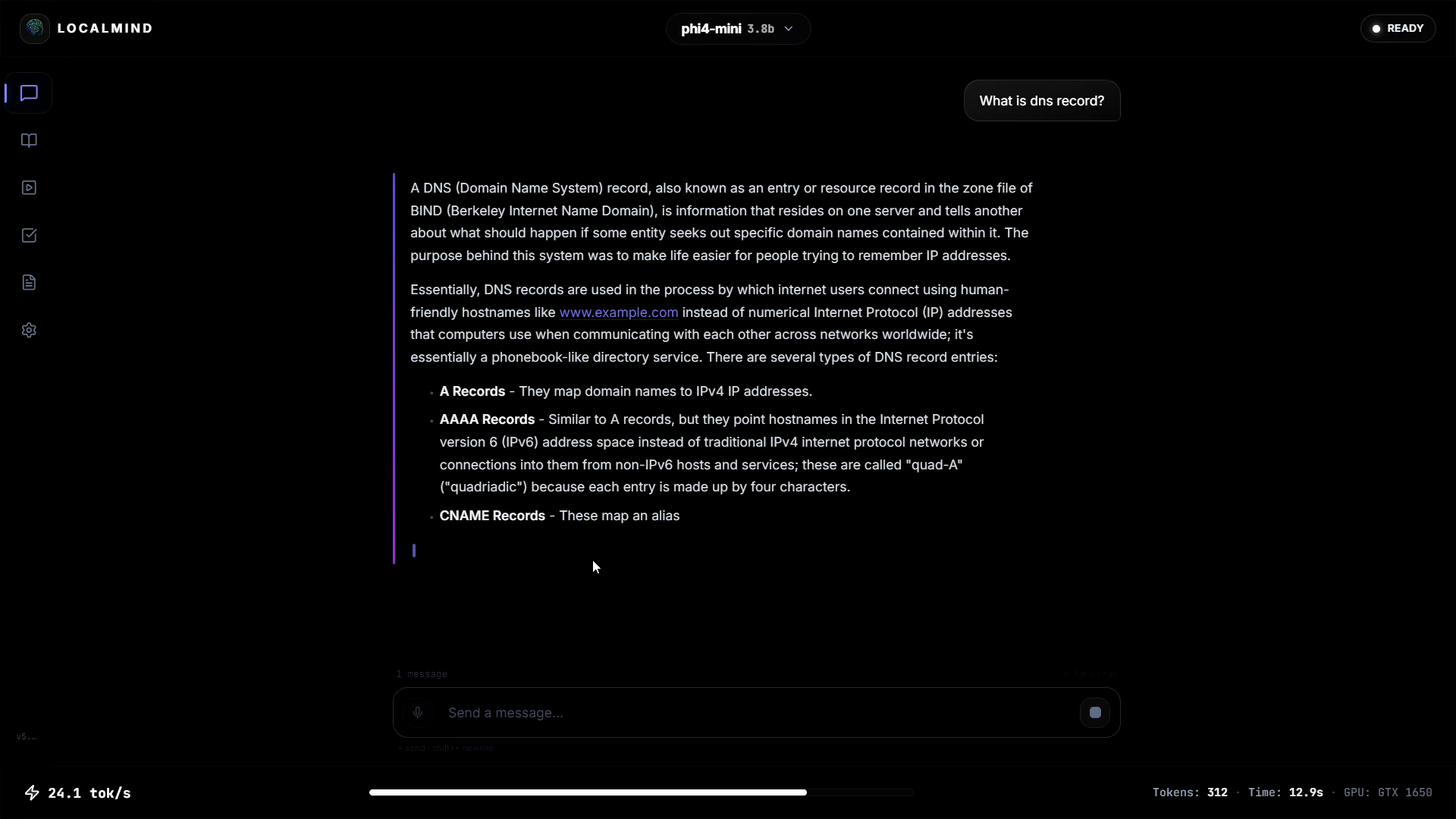
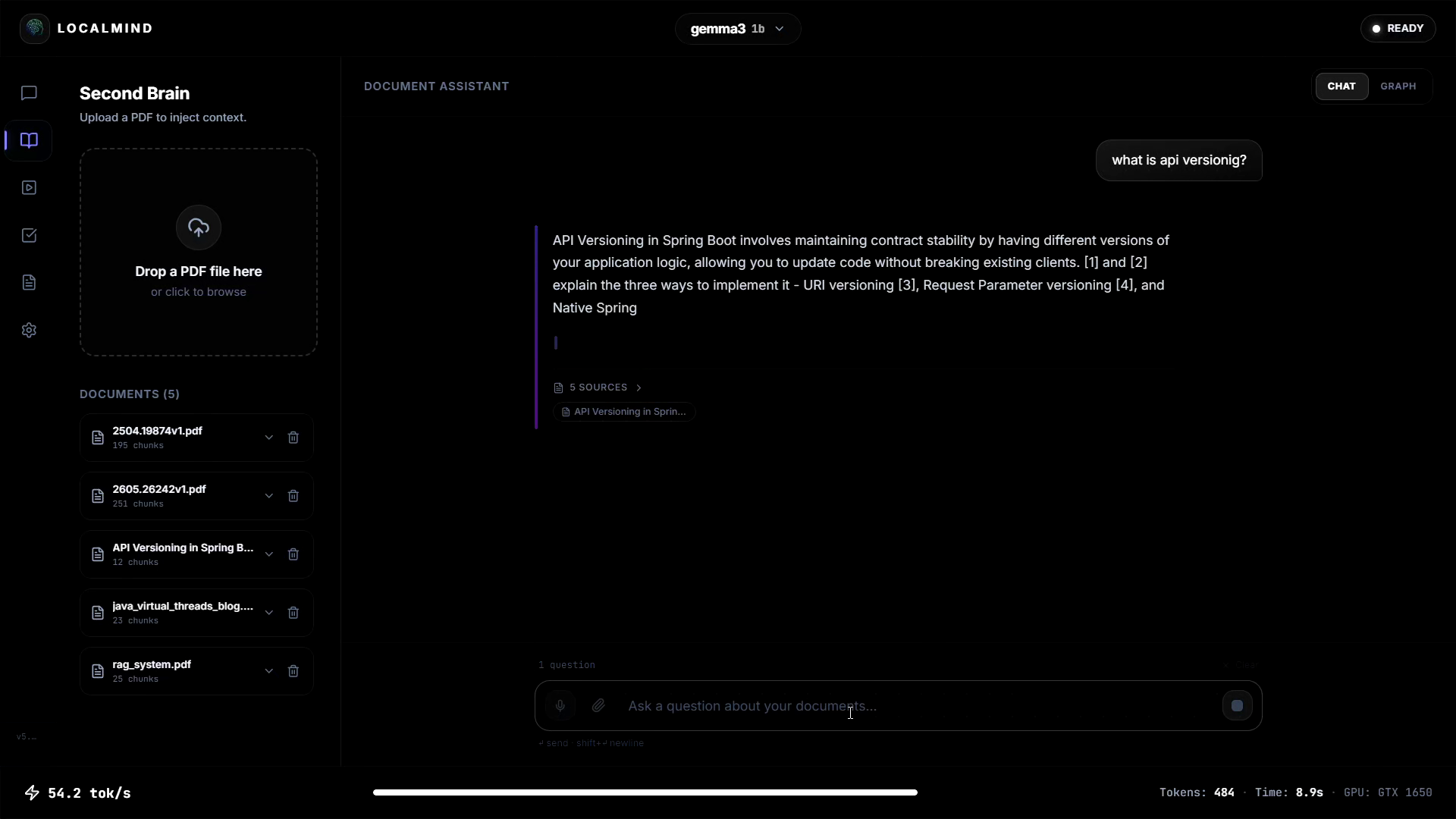
| 1 | LocalMind App | Local AI wrapper via Ollama. Chat, RAG pipeline, task creation with AI auto-tagging. Multiple models, selectable per need. | 1:1 (50% vibe, 50% manual) |
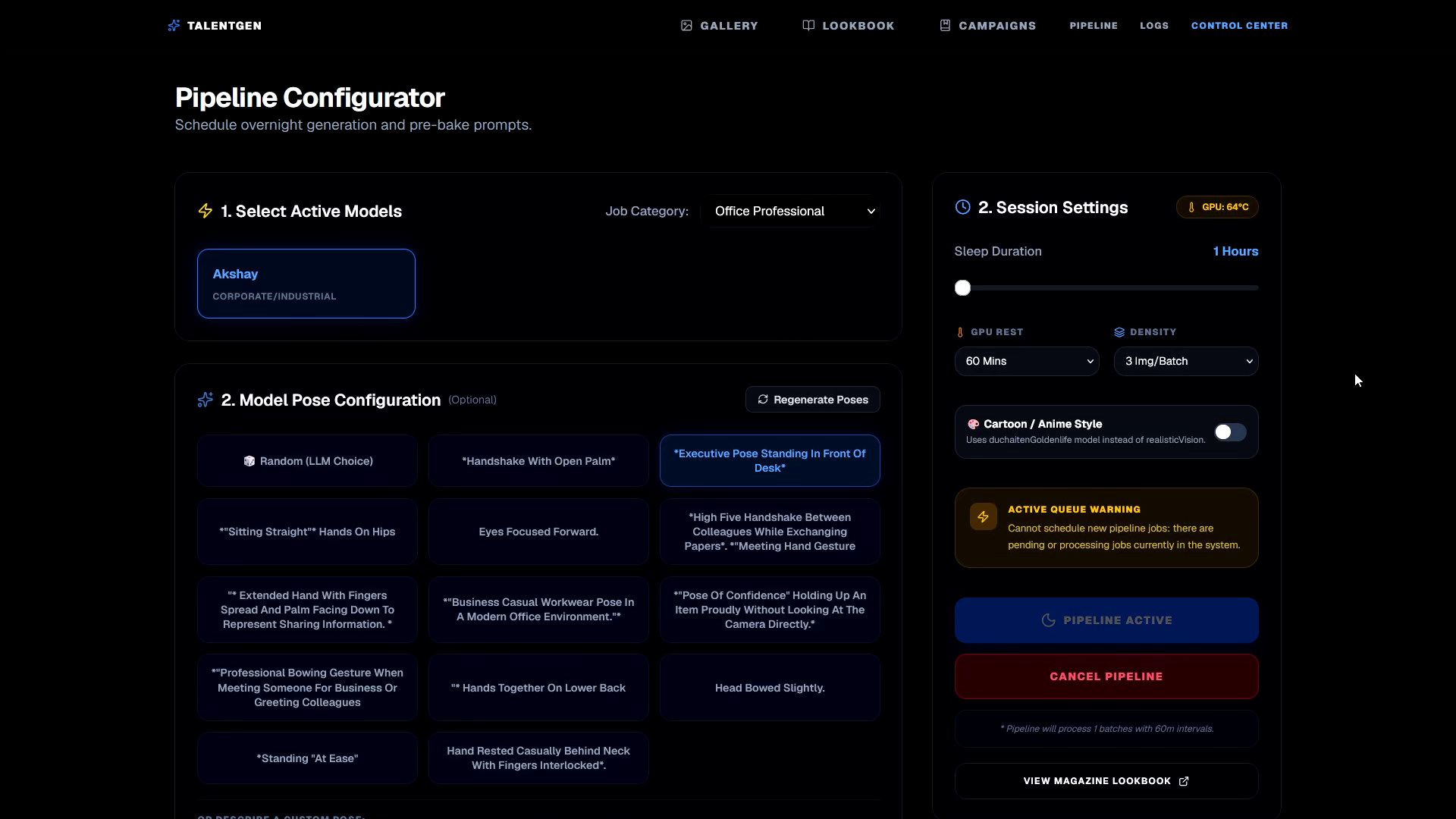
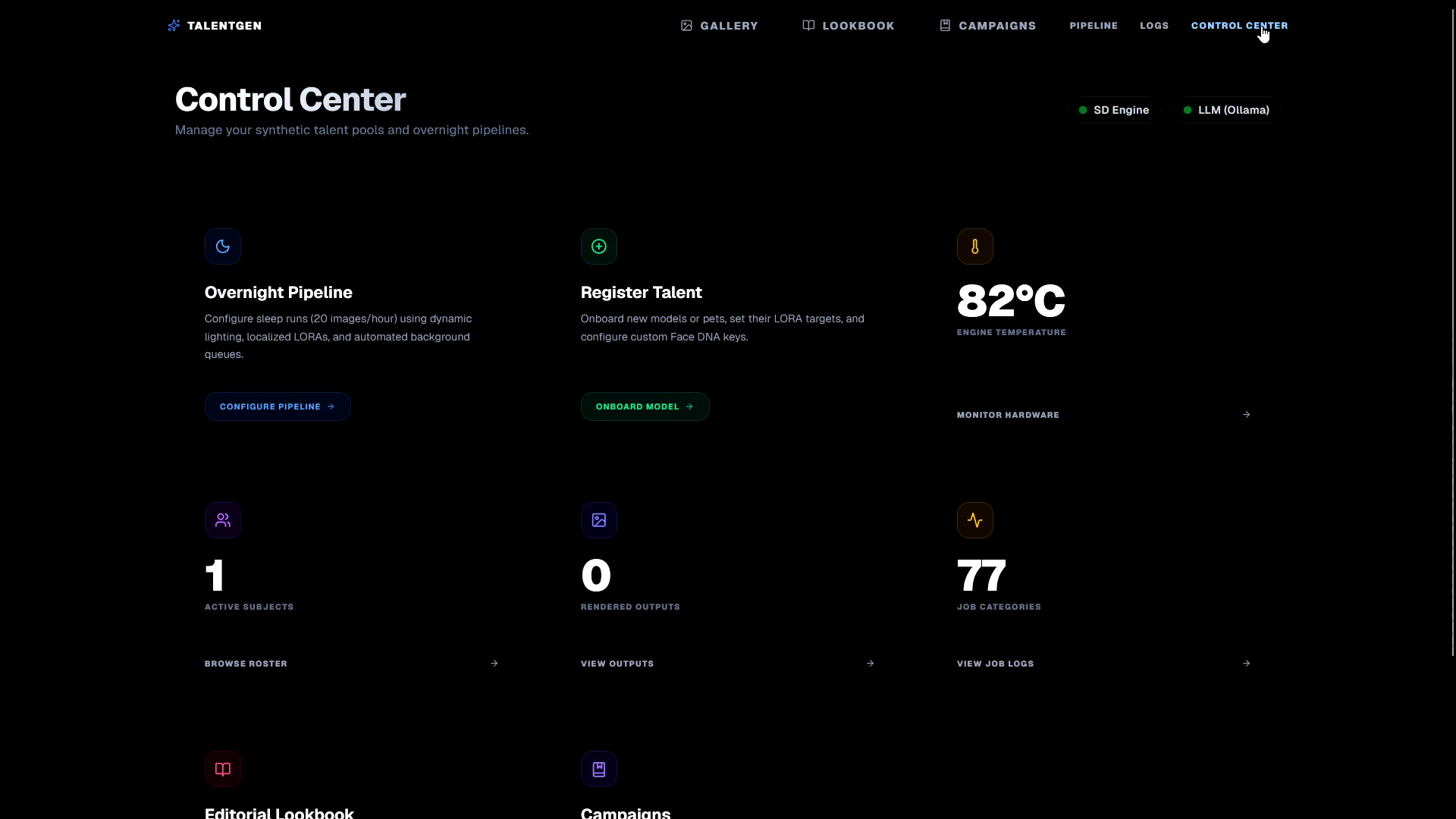
| 2 | Digital Talent Image Gen | Generates images using local SD1.5 on GTX 1650. Face swap, body pose, job profile, background options. Aimed to be an ad-agency tool. | 2:1 (70% vibe, 30% manual) |
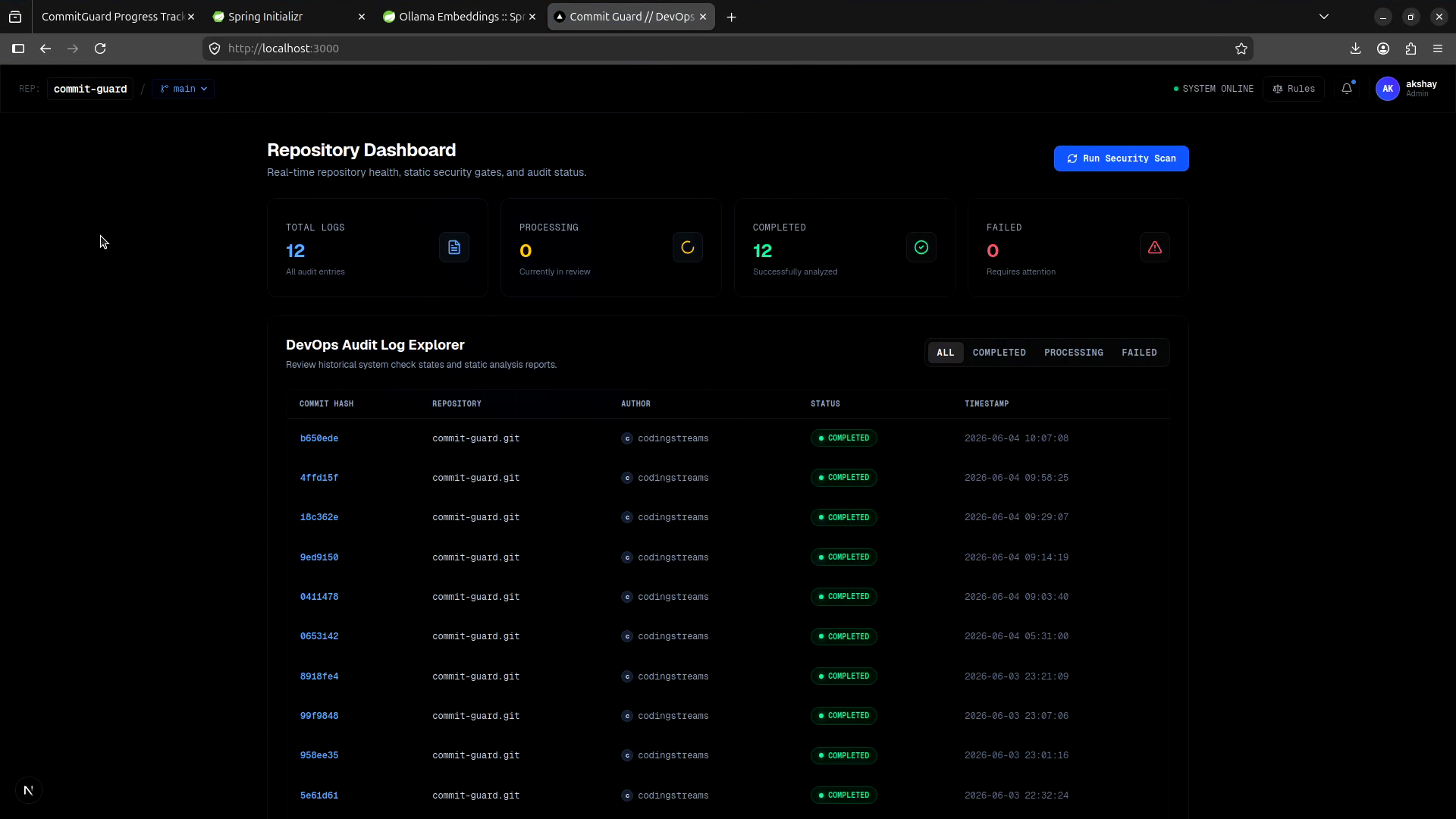
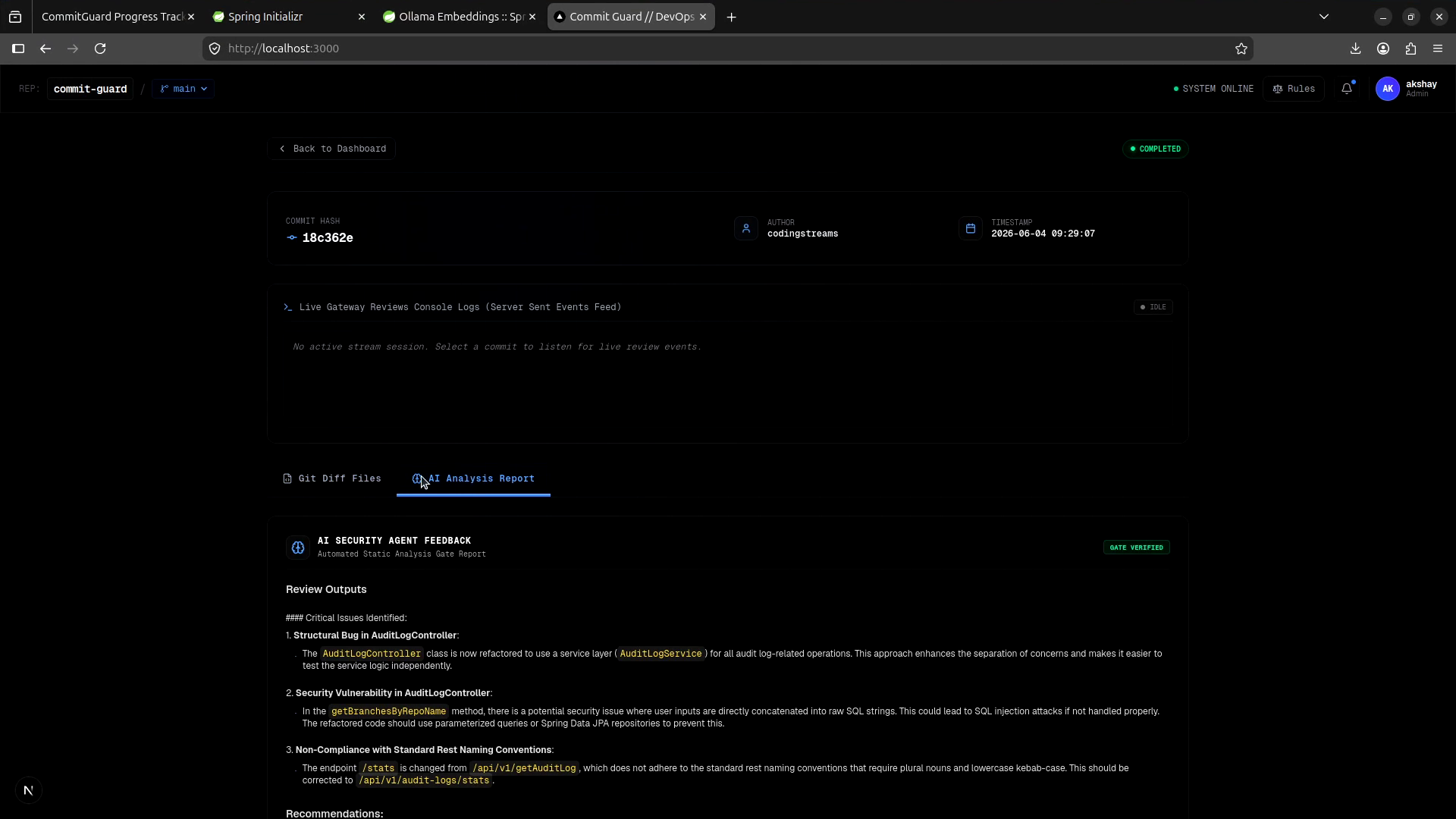
| 3 | Commit Guard | Scans git commit diffs for security and coding issues. A knightwatcher for your git history. Runs on qwen2.5-coder:3b locally. | 5:1 (80% vibe, 20% manual) |
Project 1 — LocalMind (1:1)
This one actually worked. I'm still a little surprised.
The way I approached it: I came in with a clear architecture in my head. I knew what the RAG pipeline should look like. I knew how model selection should work. I knew how tasks should be stored and tagged. Those decisions were mine, and I wasn't going to hand them over.
What I did hand over was the UI — component layouts, styling, the tedious wiring between state and display. The stuff where the logic isn't hard, but the implementation is slow and repetitive. AI is genuinely good at that. Give it a clear component spec and it will write it faster than you will, and it'll be correct.
The result is an app that can actually replace ChatGPT for basic tasks when I'm offline, or when I've burned through my weekly token limits and I don't want to pay for more. A year ago I would have laughed at that sentence. Now it's just... true.
The pattern here was clean: I owned the architecture, AI owned the implementation of known patterns. It felt collaborative rather than me sitting there watching code appear and hoping it made sense.
Project 2 — Digital Talent Image Gen (2:1)
This one's still in progress. Not because the code is messy — because my GPU isn't powerful enough.
The idea was an ad-agency-level image generation app. Stable Diffusion 1.5 locally, with options for face swapping, body pose control, job profiles, backgrounds. The kind of tool you'd use to generate polished marketing images without a subscription.
The hardware hit a ceiling. GTX 1650 with 4GB VRAM can run SD1.5, but when you start stacking face swap and pose estimation on top, you run out of room fast. That feature is on hold until I have better hardware.
But the architectural decision I'm proudest of in this whole project? It has nothing to do with AI.
The app runs at night — it generates images that I schedule for the next morning. No one's watching it while it runs. So I built a thermal monitor into the pipeline: if the GPU temperature crosses 90°C, the generation pauses and the pipeline shuts down. It's a dead-simple kill switch, but it was entirely my decision, and it's the kind of thing you only think to build when you actually understand what's running on the machine.
AI wrote the generation queue and most of the UI scaffolding. I wrote the thermal watchdog and the scheduling system. The ratio felt right.
What stopped progress was hardware, not code. That's an honest answer.
Project 3 — Commit Guard (Above 3:1) — The One That Broke
This one was a nightmare from start to finish, and I want to spend more time here because I think it's the most important lesson of the whole experiment.
Let me be honest about how it started: the idea didn't come from me. I asked AI to suggest a project. It suggested a tool that scans git commit diffs for security issues and coding guideline violations. That sounded useful, so I said yes, and we started building.
That was mistake number one. I walked in without a vision.
Because I didn't have a strong sense of what I wanted, I kept deferring to the AI — on structure, on features, on how the UI should look, on what the next thing to build was. The Vibe:Manual ratio crept past 2:1. Then past 3:1. And somewhere in there, I stopped being the architect and became the approver. Someone who reads AI-generated code, thinks "looks fine," and presses accept.
A few iterations later, the codebase looked like this:
- Multiple components doing exactly the same thing, in different files, with different names
- All the core logic crammed into one file — no separation, no modularity
- Variable names like
data,result,temp,thing— literally impossible to reason about - UI states that were defined in the code but never actually triggered from anywhere
- Import chains that looped back on themselves in ways I didn't understand
I tried to fix a bug. I couldn't. I didn't know what the function was supposed to do, and the AI that wrote it couldn't explain it coherently either. I tried to add a new feature. I couldn't find where in the codebase that feature would even live.
It felt like the AI had built the app for itself — optimized for AI generation, completely opaque to human reading. The code was syntactically correct. It just wasn't understandable.
I spent three sessions trying to salvage it. Refactoring it. Asking AI to explain its own code back to me. Nothing stuck. Eventually I just closed the repo and walked away.
The app was never shipped. The repo is abandoned.
Giving AI more than 60% control — especially when you don't have a clear vision going in — is not productivity. It's outsourcing your thinking. And when things go wrong, there's nothing to come back to.
The Six Questions
1. What was Vibe Coding originally?
Andrej Karpathy coined the term — the same guy who was a co-founder at OpenAI and recently joined Anthropic. His original idea was simple: you don't really code. You just look at stuff, say what you want, run it, copy-paste what the AI gives you, and it mostly works. That's it. No deep understanding required.
Which honestly sounds great. Until it doesn't.
2. Does architecture actually suffer?
Yes. Without question.
The more control you hand over to AI, the messier the architecture gets. And the reason is pretty straightforward — AI is very good at generating things. Like, dangerously good. Give it a vague direction and it will fill in all the gaps with something. Whether that something makes sense for your system is a completely different question.
It's like asking someone to decorate your house without telling them what furniture you already have. They'll bring stuff. A lot of it. And none of it will fit.
If you don't have a clear vision going in, you'll end up with a codebase that works but no one — including you — can explain. You can always refactor later, yes. But "later" never comes. Be careful.
3. Maintainability — one month later
Can I still navigate the LocalMind codebase? Can I add features without re-reading everything?
Technically, yes. Practically, I wouldn't.
Here's the thing about us developers — we are very good at offloading things from our brain once we're done with them. Code we haven't touched in a month is basically gone from memory. And if you weren't deeply involved in building it in the first place, that gap is even wider.
I opened LocalMind two weeks after finishing it and spent twenty minutes just figuring out where the RAG pipeline lives. That's not a codebase problem. That's a me-not-being-there-when-it-was-built problem.
The less you build it yourself, the longer it takes to understand it later. Simple as that.
4. Debugging experience
Easier or harder to debug AI-written code?
Depends entirely on the ratio.
At 1:1 — totally fine. You were there. You understood the decisions as they were made. You can read the code and know what it's trying to do.
At 3:1 and above — it's a nightmare. You're reading code that was generated by something that doesn't fully understand your system, and you're trying to fix it without context. Like trying to repair a machine you didn't build, with no manual, and the person who built it is also guessing.
Know your machine before you ride it. Otherwise it will definitely bite you back.
5. The honest percentages
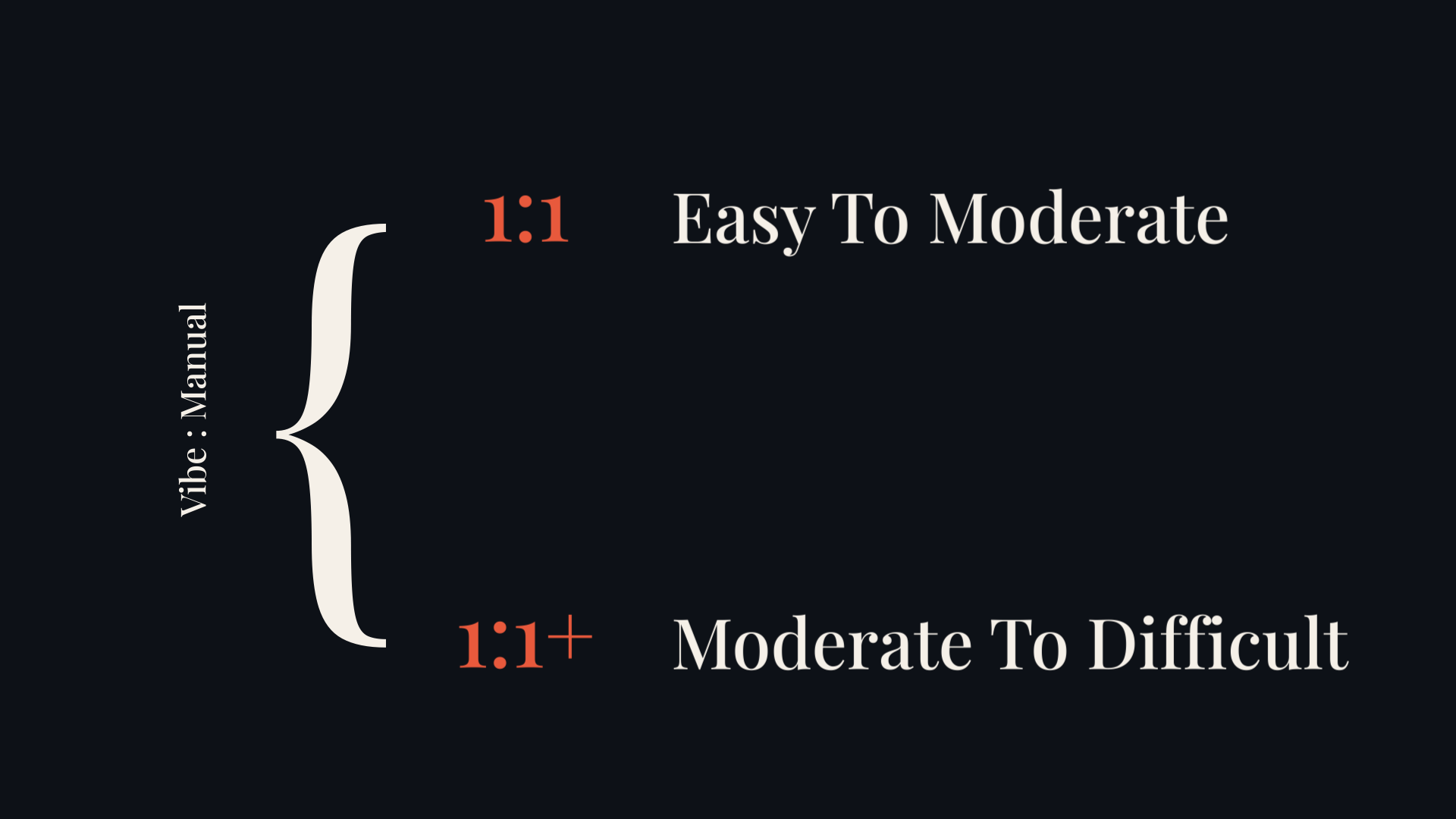
What does Vibe:Manual actually mean in practice? How do you even measure it?
Honestly, it's not a precise science. It depends on how you work, what you're building, and how much of the thinking you're actually doing versus delegating.
But here's what I noticed: the most boring part of coding — writing syntactically correct, repetitive implementation code — is basically solved now. LLMs handle that. And for me, that was probably 80% of the actual typing I was doing. The other 20% is the stuff I actually enjoy: figuring out what to build, how pieces connect, what decisions to make.
So in some ways, Vibe Coding gave me more time for the fun part. The problem is when you start delegating the fun part too.
6. Honest verdict
When does it work, and when does it not?
It works really well when you have one clear idea in your head and you just want to see it running — fast, cheap, without spending months on it. Prototype territory. Quick tools. Things you want to try but not necessarily maintain.
For that use case? It's genuinely great. You can go from idea to working app in a weekend without spending money on developers.
But if you're seriously building something for real users — something that will grow, be maintained, and handle real data — just don't vibe code it. Not fully. The shortcuts catch up.
Andrej Karpathy himself clarified this later. Vibe Coding was always meant for prototypes, not production. The problem is people started shipping those prototypes to actual customers. And that's where things broke.
That said — the field has moved fast. AI agents are genuinely getting better at writing production-quality code. It's not impossible to use AI heavily and still ship something solid. But only if you stay in control of the architecture and — this is the part people forget — the security. AI-generated code can be functionally correct and deeply insecure at the same time.
Karpathy recently introduced another term for where this is going: Agentic Engineering. Not blindly prompting AI and accepting whatever it gives you. Instead, learning the techniques to direct AI agents — giving them constraints, reviewing their decisions, maintaining ownership of the structure. That, I think, is the actual future of programming. Not less thinking. Different thinking.
What I Think Right Now
Here's where I've landed:
The Vibe:Manual ratio is the thing that actually matters — more than which model you're using, more than which tools you're using, more than whether you're paying for API credits or running locally.
| Ratio | Working Dynamic | Outcome & Control |
|---|---|---|
| Below 1:1 | AI as smart autocomplete | You're in control. This is fine. |
| At 1:1 | Genuine collaboration | The productive zone, if you own the architecture. |
| At 2:1 | System starting to drift | You need to be really clear about what's yours and what's the AI's. |
| At 3:1 and above | AI takes over architecture | You are no longer the architect. You're an approver. And approvers don't understand what they're approving. |
That last point isn't a failure of the tools. It's a failure of control. The AI doesn't know what it doesn't know about your system. Only you do. When you stop being the person who knows the system, the system becomes unownable.
Footnote: The code for all three projects was written inside Antigravity IDE — Google's AI-assisted coding environment, backed by Gemini. So yes, I used a cloud AI to build applications that deliberately avoid cloud AI at runtime. The local models (Ollama, SD1.5, qwen2.5-coder) handled all user-facing operations. Gemini handled IDE assistance during development. I'm aware of the irony. I think it's worth naming.